
Deriv Account Login: Step-by-Step Guide for South Africans
🔐 Learn how to log in securely to your Deriv account with steps tailored for South African users, including troubleshooting tips and features to help you trade smartly.
Edited By
Ethan Parker
Logging into your Deriv real account shouldn't feel like a maze, especially if you're ready to make some well-informed trades. Whether you're dabbling in forex, binary options, or CFDs, getting started on the right foot is all about a smooth, secure login experience.
This section lays out the practical steps to access your Deriv real account, ensuring you avoid common hiccups and keep your information safe while doing so.
Navigate to Deriv's official website — Always double-check the URL to avoid phishing scams. The right address is crucial, especially in South Africa, where scammers are active.
Click on 'Log In' — Located at the top right corner, it’s easy to spot.
Enter your registered email and password — Use the email linked to your account. Remember, passwords are case-sensitive.
Complete Two-Factor Authentication (2FA) if enabled — Deriv offers this extra layer of security through apps like Google Authenticator or via SMS.
Access your dashboard — Once logged in, you can start managing your trading activities.
Keep your login details private and avoid using public Wi-Fi networks when accessing your account to prevent unauthorised access.
Forgotten password: Use the 'Forgot password?' link to reset securely. You’ll receive a reset link via your registered email.
Locked account: Multiple failed attempts can lock your account temporarily. Contact Deriv’s support for assistance.
Browser issues: Ensure your browser is updated. Clearing cache and cookies can resolve unexpected errors.
Avoid using simple passwords like "password123". Instead, combine letters, numbers, and symbols.
Change your password regularly.
Beware of unsolicited emails claiming to be from Deriv asking for your login details; phishing is common.
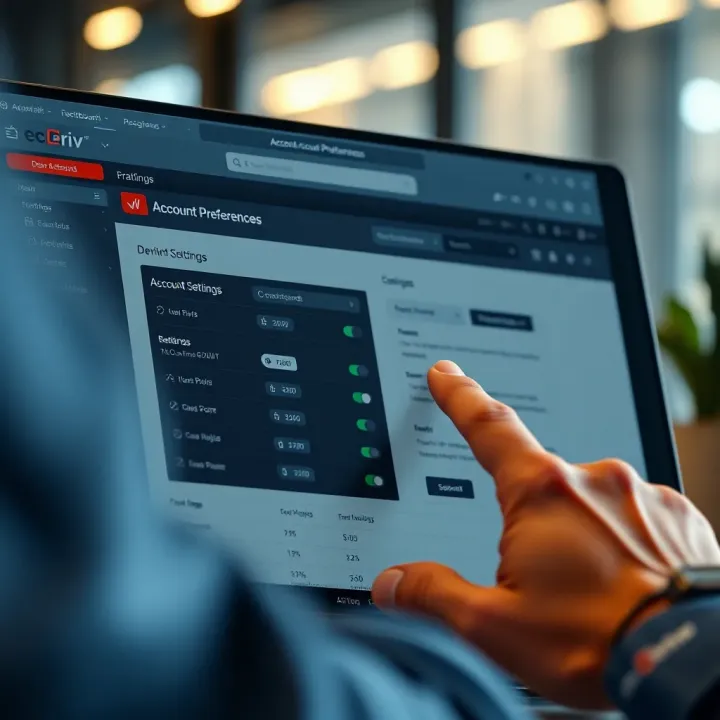
Once in, tailor your account by updating your contact details and notification preferences. This helps keep your information current and alerts timely.
Getting these basics right makes your trading experience on Deriv hassle-free and secure, especially when dealing with the fast-paced financial markets from South Africa.
Starting with your Deriv real account sets the foundation for effective trading. Before putting real money on the line, it’s essential to know exactly what a real account entails, how it differs from a demo account, and what benefits it offers. This initial understanding not only sharpens your trading focus but also helps you avoid surprises and manage your expectations.
A demo account simulates trading by using virtual funds, allowing you to practise strategies without risking actual money. In contrast, a Deriv real account involves real capital — every trade you make affects your actual balance. This gap between demo and real can feel quite significant since emotions like stress and excitement come into play when real cash is involved.
For example, a trader might execute a seemingly perfect strategy on demo but hesitates to do so on a real account because the stakes are different. This practical difference emphasises why transitioning to a real account is a step that requires readiness and awareness.
Trading with a real account brings authenticity. You experience true market conditions, including slippage, spreads, and execution speeds, which often differ from demo conditions. Real accounts also unlock the full range of Deriv features such as live customer support, withdrawal options, and real profit or loss.
Moreover, using a real account helps you develop discipline and realistic money management skills. For instance, you learn to set stop-loss levels that protect your capital rather than relying on demo outcomes, which might misrepresent market risks.
Registration with Deriv is straightforward but demands accuracy. You provide essential details like your full name, email address, mobile number, and preferred currency. The process is designed to be quick, yet it ensures you’re set up securely for trading real funds.
In South Africa, accuracy is key, especially with contact details. Incorrect information can cause delays when you want to withdraw winnings or report account issues.
Deriv must verify your identity to comply with financial regulations like the Financial Intelligence Centre Act (FICA) here in South Africa. This process usually involves uploading identification documents and proof of residence. It safeguards your account from fraud and makes sure you can access all platform features smoothly.
Verification also helps reduce the risk of account freezing during sensitive transactions. Missing or unclear documents often cause unnecessary hold-ups, so ensure your paperwork is clear and current.
For verification, Deriv generally accepts:
South African ID book or card
Valid passport
Driver’s licence
Additionally, proof of residence might include a recent municipal account or bank statement dated within the last three months. Digital uploads must be clear and legible — blurry or incomplete scans can delay approval.
Getting your verification right first time means quicker access to deposit, trade, and withdraw without hassle.
By understanding what a real account involves and completing your registration and verification properly, you set the stage for smooth trading on Deriv. It’s the first step to trading with confidence and control, especially in the South African market where regulation and identity verification are taken seriously.
Logging into your Deriv real account is a vital step to access the full suite of trading tools and execute real trades effectively. For South African traders, knowing the exact process helps avoid frustration and possible security risks. This section breaks down the essentials of logging in, ensuring you get to the markets smoothly and securely.
Start by making sure you visit the official Deriv website. Avoid clicking on links from unknown sources or emails that could lead to phishing sites. The official address ensures your login details remain safe and that you're working within the legitimate platform. For example, typing the address directly into your browser or using a trusted bookmark reduces the risk of ending up on a fake site.
South African users should also consider the security indicators in their browser, like the padlock icon, which confirms the site uses secure encryption. This precaution prevents your data from being intercepted on public Wi-Fi networks often used in places like coffee shops or libraries.
Once on the site, enter your username or registered email alongside your password. Use credentials created during your Deriv account registration. Keep in mind that passwords are case-sensitive and must be entered exactly to gain access. For instance, if your password was set as "D3rivSecure", entering "d3rivsecure" will not work.
South Africans should resist using overly obvious or reused passwords, especially since unique credentials reduce the risk of account breaches amid rising cybercrime. Password managers can help generate and store complex passwords safely.
After entering your credentials, Deriv often prompts for two-factor authentication (2FA). This extra security step requires a verification code from your mobile app or SMS. For example, you might receive a six-digit code on your cellphone to key in after your password.
2FA plays a significant role for traders, particularly in South Africa where cyber threats can be opportunistic. It acts as a second lock beyond your password, making unauthorised access far less likely. If you don’t have 2FA set up, it’s wise to enable it under your account settings.
Trading on the go is a common reality, and the Deriv mobile app offers a practical solution. It is available for both Android and iOS devices, allowing easy access while commuting or at a café. Logging in via the app follows the same credential and 2FA steps but adds convenience.
For example, a trader catching the taxi to work can quickly check their positions or enter trades without the hassle of opening a laptop. The app also tends to be quicker loading on mobile networks common across South Africa, especially outside major metros.
Alternatively, logging in through a web browser on your desktop or laptop remains a popular option. It works well for thorough analysis and charting, given the larger screen and more robust processing power. When logging in this way, ensure your browser is up to date for optimal security and compatibility.
For instance, users logging in from Johannesburg or Cape Town offices can take advantage of stable fibre connections to access all trading features seamlessly. Bear in mind to clear your browser’s cache occasionally to avoid login glitches and improve speed.
Remember, whichever method you choose, always verify you’re on the official platform and keep your login details private. Safe access is the first step to successful trading.
Safeguarding your Deriv real account goes beyond just creating a username and password. Keeping your account secure is vital in protecting your funds and personal information, especially when trading involves real money. South African traders deal with online risks daily, so managing security for your Deriv account is a practical shield against fraud and unauthorised access.
A strong password is your first line of defence. Avoid predictable words or sequences like "password1234" or your birthdate. Instead, create a mix of upper- and lowercase letters, numbers, and symbols that only you can easily recall. For example, a phrase like "BraaiTime2024!" adds memorable yet complex combinations. Always change passwords regularly and never reuse the same one across different platforms, especially on your trading account.
Two-factor authentication (2FA) adds an extra lock on your Deriv account by requiring a second verification step beyond just your password. This typically involves a code sent to your mobile device or generated by an authentication app. For instance, even if someone gets hold of your password, they won’t access your account without the unique code. Turning on 2FA drastically reduces the risk of unauthorised login attempts and is a straightforward feature available on Deriv.
Phishing is a common tactic where fraudsters send fake emails or messages pretending to be Deriv support or other official bodies. These often request your login details or ask you to click suspicious links. Never provide passwords or personal information via email or text and always verify the sender’s address carefully. For example, a genuine Deriv email will come from an official domain, not from a generic Gmail or suspicious source. If something feels off, it probably is — better to log in manually through the official website than clicking on a link.
If you notice unusual activity or suspect someone accessed your Deriv account, act quickly. Change your password immediately and log out of all devices through your account settings. Check for unauthorised withdrawals or trades and document everything. This swift response can limit damage and provides evidence if you later need to dispute transactions.
Reach out to Deriv’s customer support without delay. Explain your concerns clearly and provide relevant details like transaction IDs or timestamps of suspicious activity. Deriv has a dedicated team trained to help handle security breaches and they can temporarily freeze your account if required. Prompt communication increases your chances of recovering control and securing your account against further risks.
Remember, vigilance and quick action can save you from major headaches when it comes to account security. Being proactive about your Deriv real account keeps your trading activities safe and gives you peace of mind while you focus on the markets.
Even the best-planned login procedures can hit a snag, especially when you’re managing a Deriv real account. Sorting out common login problems quickly keeps your trading on track and prevents frustration—critical when timing can mean the difference between profit and loss. For South African users, dealing promptly with these hitches is even more important because of varying internet reliability and security concerns.
If you forget your Deriv password, don’t panic. Deriv provides a straightforward password reset option. You’ll typically receive an email with a secure link to create a new password. This process is designed to be simple but secure, allowing you to regain access without compromising your account.
It's best to act quickly once you realise the password is forgotten. Waiting too long might lock you out further, especially if multiple wrong attempts trigger security measures. Also, make sure to check your spam folder, as sometimes reset emails get filtered there.
While resetting your password, prioritise keeping your account safe. Choose a strong and unique password—ideally a mix of letters, numbers, and symbols. Avoid using common phrases or details like birthdays. It’s equally important to ensure that the device you use for recovery is secure and virus-free, to prevent any malware from stealing your new credentials.
Two-factor authentication (2FA) should be re-enabled after resetting your password if it was disabled during recovery. This adds a vital extra layer of protection against unauthorised access. Remember, your account is only as secure as your weakest step during recovery.
Sometimes login errors stem from your browser holding onto outdated files. Clearing the cache and cookies wipes out old data that might conflict with Deriv’s latest site updates. For example, if your browser still uses old page scripts, it can cause login forms to fail or display incorrectly.
South African users on slower or shared connections might struggle with this more, as browsers can accumulate a lot of cached data over time. Regularly clearing these helps keep your login process smooth.
Unstable or slow internet connections often cause login failures, especially if timeouts occur during credential verification. In South Africa, this issue can worsen during loadshedding or in areas with limited connectivity.
Before retrying login, check your connection stability—preferably using a wired connection or a reliable mobile network. Sometimes restarting your modem or switching networks can make all the difference.
Deriv may lock your account temporarily after repeated failed login attempts or suspicious activity. This measure protects your funds and personal information but can be frustrating.
If your account is locked, review any recent activity emails to confirm whether it was triggered by you or possible fraud. Contact Deriv’s support promptly to resolve the lockout. This may involve verifying your identity, so have your identification documents handy, such as your South African ID or passport. Acting swiftly ensures you don’t miss critical trading opportunities.
Resolving login issues quickly is key to uninterrupted trading. Knowing how to reset your password safely, troubleshoot common errors, and handle lockouts keeps your Deriv experience smooth and secure.
Customising your Deriv account settings helps tailor the platform to fit your specific needs. Whether you’re a casual trader or a seasoned investor, fine-tuning these options can improve your experience and even help avoid costly mistakes. Your preferences directly affect how you interact with the platform daily, from notifications you receive to how your trades display in the currency you work with.
Keeping your contact details up to date on Deriv is vital. For South African traders, this means making sure your mobile number, email address, and physical address reflect current information. For instance, if you change your mobile number due to switching providers—from Vodacom to MTN, say—this must be updated promptly. Otherwise, you may miss critical alerts or verification codes needed for secure login.
This isn’t just about convenience; it’s a security issue too. Incorrect contact information can delay account recovery if you forget your password or if suspicious login attempts occur. Deriv relies on accurate details to ensure you receive security and account activity notifications swiftly.
Notification settings control what kind of alerts you get and how often. Deriv allows you to customise these to suit your trading style or lifestyle. For example, if you prefer to be notified only about order executions and account deposits, you can disable promotional emails or general market updates.
Managing your notifications wisely helps prevent information overload. Imagine getting dozens of emails while you’re working or braaing with friends—annoying and distracting. Fine-tuning notification preferences improves your focus and helps you stay on top of the trading essentials without being bombarded unnecessarily.
When trading on Deriv, selecting your preferred currency matters a lot. Most South African clients opt for the South African Rand (ZAR) to reflect their local economy and simplify conversions. It helps you see your profits or losses in familiar terms, rather than estimating from US dollars or Euros.
Choosing the right currency also affects deposit and withdrawal processes. Selecting ZAR can lower conversion fees and speed up transactions with local banks or e-wallets. This practical choice makes managing your trading capital more straightforward and cost-effective.
Deriv supports multiple languages and display preferences, allowing you to switch the interface into a language you’re comfortable with. While English tends to be standard, some South African traders may prefer Afrikaans or other local languages if available, making the platform easier to navigate.
Adjusting display options, such as font size or dark mode, improves usability during long trading sessions. For example, if you trade after hours during loadshedding when screens can strain your eyes, a darker interface reduces fatigue. Small tweaks like these help keep your trading performance sharp.
Customising these account settings ensures your Deriv experience is tailored, secure, and efficient—helping you focus on what matters most: making informed trades.
🔐 Learn how to log in securely to your Deriv account with steps tailored for South African users, including troubleshooting tips and features to help you trade smartly.
🔐 Master the Deriv broker login process with this guide—secure access, troubleshoot easily, and manage your trading account like a pro on South Africa’s fav platform.

🔑 Manage your Deriv trading account effortlessly: navigate the members area, update settings, access tools, handle payments securely & solve common issues with ease.

Explore how the Quotex demo account lets you practice trading without risk. Learn setup, features, and tips to sharpen skills before real trading 📈💡
Based on 5 reviews