

Smart Trader Deriv: A Detailed South Africa Guide
Explore Smart Trader Deriv’s features and benefits in South Africa 🇿🇦. Learn key strategies, risk management, and tips to trade confidently and effectively 📊💡.
Edited By
Henry Walters
Logging in to Deriv is your first step towards accessing a platform that offers a variety of online trading options, from forex to synthetic indices. For South African traders and those from around the world, getting this right means you can quickly start managing investments and seizing market opportunities.
Before you dive in, make sure you have your registered email address and password at hand. Deriv’s login process is straightforward but requires careful attention to ensure your account stays secure. If you haven’t set up your account yet, registering is simple—and necessary—to unlock the platform’s features.

Remember: Always use a strong, unique password for your trading account to avoid security risks. Also, enable two-factor authentication (2FA) where possible to add an extra layer of protection.
Logging in involves the following key steps:
Navigate to the official Deriv login page.
Enter your registered email address.
Provide your password.
Complete any security prompts, such as CAPTCHA or 2FA codes.
If you’re logging in from South Africa, it’s common to use mobile data or fixed broadband. Keep an eye on your connection stability, especially if you experience frequent loadshedding or data fluctuations, as interruptions can affect login performance.
Troubleshooting common login issues typically involves:
Resetting your password if you’ve forgotten it.
Checking that your caps lock or keyboard language settings haven’t changed.
Ensuring your account is verified according to Deriv’s Know Your Customer (KYC) procedures, which require ID documents and proof of residence.
Getting familiar with these basics will help you avoid delays and frustration. Later sections will look closer at step-by-step instructions and how to deal with specific hurdles, making sure you’re ready to trade with confidence and peace of mind.
Before you can trade on Deriv, getting your account set up properly is the first and most important step. This section covers everything you need to know about starting your journey, from registration requirements to securely accessing the login page. Proper setup not only saves time later on but also protects your investments from the get-go.
Deriv requires some basic personal details when you sign up, such as your full name, date of birth, email address, and country of residence. Given strict financial regulations, users must be at least 18 years old and provide accurate information to avoid issues down the line. For example, as a South African user, you'll need to input your valid South African ID number and contact details to comply with Know Your Customer (KYC) rules.
After registration, Deriv will ask you to verify your identity and residential address. This happens through submitting official documents like a passport or driver's licence, plus a recent utility bill or bank statement. Verification confirms your identity and helps prevent fraud, ensuring your account remains trustworthy. Completing this step promptly speeds up access to full trading features and withdrawal options.
Once verified, you should carefully set up your personal information and security preferences. This includes choosing a strong password and setting up two-factor authentication (2FA) to add an extra layer of protection. Deriv also allows you to set security questions, which can be handy if you ever need to recover your account. Filling out these details accurately reduces the risk of unauthorised access.
Always start by going to the official Deriv website to avoid phishing scams. Typing the correct URL directly into your browser’s address bar is safest. Deriv’s URL uses secure HTTPS protocol, indicated by a padlock symbol next to the address. This ensures encrypted communication between your device and the server, protecting your login details.
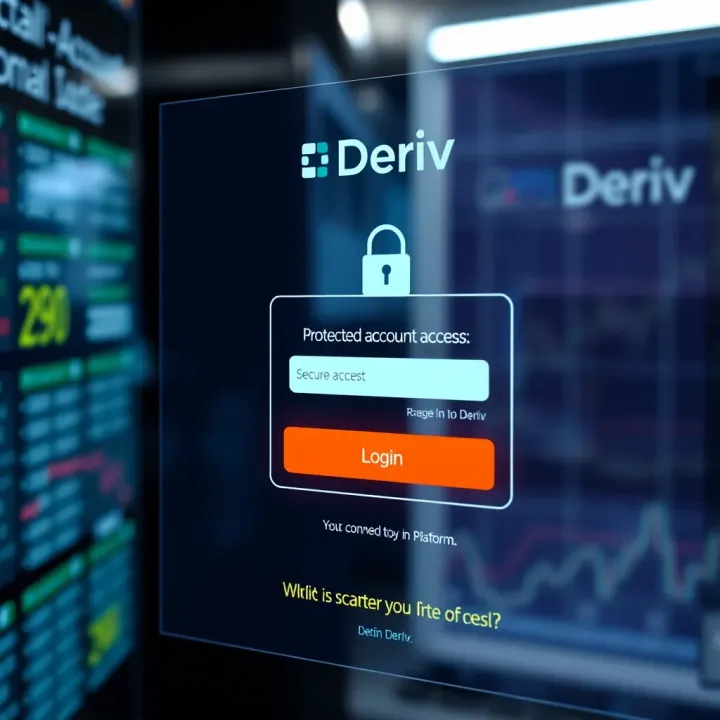
Deriv offers mobile apps for both Android and iOS devices, which give you convenient access to trading on the go. The login process on the app is similar to the website, allowing you to use your existing credentials. For instance, many South Africans prefer logging in via the app during their commute or while waiting in line, avoiding desktop dependency.
For a smooth login experience, use up-to-date browsers like Google Chrome, Mozilla Firefox, or Microsoft Edge. Older or unsupported browsers may lead to display issues or security risks. Clearing your browser cache and cookies occasionally can also prevent common login glitches. This is especially useful if you share devices or use public computers.
Starting your journey on Deriv with a properly created and secured account sets you up for hassle-free trading. Taking a few minutes to verify your identity and keeping your login steps secure goes a long way in protecting your investments.
Logging in to Deriv isn't just about punching in details; it's the gateway to your trading activities. This step-by-step guide breaks down the process clearly so you can get to trading with confidence, whether you're in Johannesburg or Cape Town. Understanding these practical steps helps avoid delays and frustration, especially during volatile market conditions when every second counts.
The first thing to remember when logging in is your username and password. These are your keys to the platform, so accuracy matters. Your username is often an email or a unique ID you chose at registration. The password should be entered carefully, respecting case sensitivity—so check those capital letters and symbols. A small typo here can lock you out unexpectedly, which is frustrating when you want to make a quick trade.
Deriv offers a 'Remember me' option, which keeps you logged in on that device for a set period. This feature saves time but comes with risks if others can access your device. For example, if you’re logging in from a personal laptop at home, using 'Remember me' is generally safe. However, avoid it on public or shared computers to protect your account. You can also set session durations to control how long you stay logged in without actively using the platform.
Two-factor authentication (2FA) adds an extra security layer. After entering your password, you provide a second piece of proof, usually a code from an app like Google Authenticator or Authy. This process helps prevent unauthorised access even if someone steals your password. Think of it as a double lock on your door—not just a key but also a PIN.
Setting up 2FA is straightforward. Once activated in your Deriv account settings, download a supported authentication app on your mobile. Scan the QR code Deriv provides, and the app will generate time-sensitive codes. Every time you log in, you’ll enter your password and then the 2FA code. This might add an extra step, but it’s worth it to keep your funds and data safe.
Deriv also supports logging in through social accounts such as Google or Facebook. This method simplifies the process; if you already trust these platforms and use them regularly, it’s an efficient way to access Deriv quickly. It also cuts down on forgotten password headaches because you authenticate through your social profile.
If you already have a Deriv account but want to link your social login, the platform allows this in settings. Linking accounts means you can switch between normal login and social login without hassle. For traders who use multiple devices or want to simplify access, this feature provides flexibility without compromising security.
Having multiple login methods and security steps ensures your trading on Deriv is both smooth and secure, helping you focus on the markets rather than access woes.
Log-in problems can derail even the most experienced trader’s day. That’s why knowing how to quickly fix common issues with your Deriv account access saves time and reduces stress. Whether it’s a forgotten password, an unexpected lockout, or technical hiccups on the platform, understanding these problems helps you keep your trading on track without unnecessary delays.
When you forget your Deriv password, resetting it is straightforward and usually gets you back in within minutes. Start by clicking the “Forgot Password” link on the login page. You’ll be prompted to enter your registered email address or username. Deriv then sends you a secure reset link via email—make sure to check your spam folder just in case.
Alongside email verification, security questions form an additional layer to confirm your identity. These questions, set up during registration, are designed to be personal yet memorable. For instance, you might be asked the name of your first pet or your favourite holiday spot. Answering these correctly helps prevent unauthorised access should your email fall into the wrong hands.
Sometimes Deriv temporarily locks accounts to protect users from potential fraud or suspicious activity. This might happen after several failed log-in attempts, unusual transaction patterns, or violation of platform terms. These lockouts serve as a security net but can be frustrating if you’re unaware why it occurred.
To regain access, you’ll usually need to verify your identity. This might involve submitting identification documents or responding to emails from Deriv’s support team. Patience here pays off, as rushing through can delay reopening your account. Keeping your personal information and documents ready can speed up this process.
Technical bugs or ‘glitches’ can sometimes prevent smooth log-ins. One quick fix is clearing your browser’s cache and cookies. These store old data that could conflict with fresh login attempts. For example, using Google Chrome, you’d go to settings, find "Clear browsing data," and tick cache and cookies before confirming. This simple step often resolves unexpected errors.
Another key point is ensuring your browser or Deriv app is up to date. Older versions may not support the latest security protocols. If you notice login issues, updating the app from the Google Play Store or Apple App Store or refreshing your browser version usually helps.
Finally, if problems persist, don’t hesitate to contact Deriv support. Their team is equipped to diagnose account-specific issues and guide you through solutions efficiently. Having your account details and a clear description of the problem ready will make the process smoother.
Staying ahead of login issues prevents disruptions in your trading activity, keeping your focus where it belongs—on making informed financial decisions.
Protecting your Deriv account isn't just a good idea—it’s essential. Since you’re dealing with sensitive financial info and real money, a slip-up could cost dearly. A few straightforward security measures go a long way in keeping your account safe from hackers and fraudsters, especially on platforms like Deriv where trading activity happens daily.
A strong password is your first line of defence. Avoid using easily guessable information like "password123" or your birthdate. Instead, combine uppercase and lowercase letters, numbers, and symbols to create something unique but memorable. For example, mixing random words like “Storm7Cape!Sun” is way better than simple sequences.
Password length matters too. Aim for at least 12 characters. Longer passwords make it much harder for hackers to crack by brute force. That said, don't just try to remember complex passwords yourself.
This is where password managers come into play. Apps like LastPass or 1Password store and generate strong passwords for you. They fill in your details automatically and keep your data locked behind a master password. Using a password manager means you don’t have to rely on writing passwords down or recycling the same ones—both risky moves.
By using password managers, you improve your security without the hassle of remembering dozens of strings. It also means you can use different passwords for your Deriv account and other platforms, reducing potential risk.
Phishing schemes trick you into handing over your login details by fake emails or websites posing as Deriv. For instance, you might get an urgent-sounding email telling you to verify your account via a suspicious link. These scams often use poor grammar or unofficial addresses.
Watch out for such messages. Deriv won’t ask for passwords through email or messages beyond the official app or website. Always check URLs for legitimacy; a common sign is slight misspellings or unfamiliar domain endings.
If you suspect phishing or fraud, report it to Deriv immediately via their official support. Don’t reply or click any links in suspicious messages. Reporting helps the platform block scammers and protect other users.
Additionally, it pays to notify your email or mobile provider if you notice unusual activity, as attackers often try to get control of your contact channels too.
Outdated antivirus software leaves gaps for malware to sneak in and steal credentials, especially on devices used for trading. Regularly updating antivirus keeps known threats at bay and ensures your system runs safely.
Besides antivirus, practising safe internet habits is key. Avoid trading on public Wi-Fi without a VPN, don’t open attachments from unknown senders, and log out from Deriv when done. These steps limit exposure to hackers lurking on unsecured networks or through malicious files.
Staying vigilant with these security tips helps you trade with confidence on Deriv. Your account’s safety depends on both the platform’s measures and your personal habits. Keep your password strong, be alert to scams, and secure your devices to minimise risks effectively.
Explore Smart Trader Deriv’s features and benefits in South Africa 🇿🇦. Learn key strategies, risk management, and tips to trade confidently and effectively 📊💡.

📊 Learn how to use the pip calculator on Deriv to plan trades, manage risk effectively, and boost your confidence in every market move. 📈
🔐 Navigate Olymp Trade login with ease! Learn how South African users can create accounts, secure details, fix issues, and trade seamlessly. 📈🇿🇦

Explore the Five E's 🔍 in depth, their role in business, education, and personal growth. Discover practical tips to boost effectiveness and outcomes!
Based on 7 reviews