

Understanding IQ Option for South African Traders
Explore IQ Option’s features, registration tips, and risk strategies for South African traders 🇿🇦. Learn about trading tools, regulation, and effective platform navigation.
Edited By
Benjamin Clarke
The IQ Option demo platform offers a practical way to get started with online trading without the risk of losing real money. This free tool replicates the live trading environment closely, allowing users to build their trading skills, test strategies, and familiarise themselves with the interface.
Unlike trading on a live account, the demo uses virtual funds. This lets you explore a wide range of assets, such as stocks, forex pairs, cryptocurrencies, and commodities, without the pressure of financial loss. For instance, you can practise buying Tesla shares or trading the rand against the dollar to see how market fluctuations affect your positions.

The platform comes preloaded with R10,000 in virtual capital, which you can replenish if it runs out. This makes it especially useful for beginners who want to understand market behaviour or experienced traders aiming to try out new tactics before committing real funds.
Using the demo effectively involves more than just clicking around; it means treating virtual trades seriously. Track your outcomes, learn from mistakes, and observe the impact of changing variables like trade size and expiry time for options.
Some key features of the IQ Option demo include:
Real-time charts and technical indicators to support decision-making
A user-friendly interface that works well on desktops and mobiles
Access to tutorials that guide you through different types of trades
Ability to switch instantly between demo and real accounts
While the demo mirrors the live platform, bear in mind there could be slight differences in execution speed and slippage when shifting to real trading due to market conditions. This highlights why transitioning gradually and continuing to use the demo for testing new approaches can be a smart strategy.
In summary, the IQ Option demo platform is a valuable resource for anyone wanting to sharpen trading skills safely. By practising here, you gain confidence and experience, which can improve your chances when you start trading with real Rand.
The IQ Option demo account is a risk-free environment designed to help new traders understand how the platform operates without using real money. It plays a vital role, especially for those who are just stepping into the trading world or want to refine their skills before committing actual funds. By offering virtual capital and real market data, the demo account mimics live trading conditions closely, making it a powerful learning tool.
Testing trading strategies without financial risk is one of the main reasons new traders turn to the IQ Option demo platform. Imagine practising your braai skills — you wouldn’t throw a costly lamb chop on the fire without a few test runs, right? It’s the same with trading. You can try out different tactics, like scalping or swing trading, on various assets such as forex pairs, stocks, or cryptocurrencies, all without worrying about losing R10,000 or more. This freedom enables you to learn from mistakes, adapt quickly, and build confidence.
Getting familiar with the trading platform layout and tools is equally important. Every platform has its quirks, and IQ Option’s interface offers several features like chart indicators, multiple asset types, and order settings that can overwhelm beginners. The demo account lets you explore and get comfortable navigating these tools. For example, you can experiment with setting stop-loss and take-profit levels or switch between candlestick and line charts, making sure you know where everything is when real money is on the line.
The platform uses virtual funds and live market data to closely replicate actual trading. This means the prices you see for assets, such as the Rand/US Dollar pair, change in real time according to market movements. However, your balance reflects only play money — usually a set amount like R10,000 in virtual funds. This approach keeps the experience authentic without financial exposure, allowing you to practice under true-to-life scenarios.
While the demo aims for realism, there are limitations compared to real trading. For instance, emotional factors like stress or fear are largely absent when using virtual money. Execution speeds might also differ slightly under heavy market load, and slippage (price changes between order placement and execution) can be less common in demo mode. Recognising these gaps is key before moving to a live account, as real trading demands both technical skill and emotional control.
Understanding these aspects enables traders to use the IQ Option demo account effectively—gaining tangible skills while preparing for the realities of live markets without the upfront financial risk.
Getting started with the IQ Option demo account is a straightforward process that allows traders to practise without risking real money. Setting up and navigating your demo account is crucial for building confidence and understanding the platform’s capabilities before stepping into live trading.
Creating a demo account with IQ Option involves a simple registration process. You’ll need to provide basic information such as your name, email address, and create a secure password. There’s no need for verification documents at this stage since no actual funds are involved. This makes it quick to start practising immediately.
What’s especially handy is that you don’t have to deposit any money to access the demo. You get virtual funds credited instantly, allowing you to place trades right away. This ease of entry is perfect for newcomers who want to familiarise themselves with trading mechanics without any financial commitment.
Today, IQ Option supports both desktop and mobile platforms, giving you flexibility in how you access the demo. The desktop version offers a larger workspace, great for detailed chart analysis and multi-window setups. On the other hand, the mobile app brings all essential features to your smartphone or tablet, which is handy when you want to practise trading on the go.
The mobile platform keeps the interface intuitive, so you won't feel lost even without a big screen. This cross-platform availability means you can switch seamlessly between devices without sacrificing functionality, a real benefit for traders juggling busy schedules.
Once logged in, you’ll notice IQ Option’s interface is designed to balance simplicity with powerful features. Understanding chart types is key — the platform offers line, candlestick, and bar charts. For example, candlestick charts provide a visual snapshot of market sentiment over specific time frames, which helps you spot trends and reversals more easily.
Indicators are another essential tool embedded in the platform. You can add moving averages, RSI (Relative Strength Index), or Bollinger Bands to your charts to gain insight on price behaviour. Using these indicators in the demo allows you to test how they influence your trading decisions without risk.

IQ Option also presents an impressive range of asset options on the demo, spanning forex pairs, stocks, cryptocurrencies, commodities, and ETFs. This variety is perfect for traders to explore different markets and find their niche.
When it comes to executing trades, the demo account lets you practise placing, modifying, and closing orders efficiently. For instance, you can quickly set stop-loss and take-profit levels to see how risk management works in real time. Adjusting a trade before confirming can make the difference between profit and loss, so familiarising yourself with these features without pressure is invaluable.
Closing trades is just as simple, with one click to exit positions. This ease allows for hands-on learning in managing open trades, an important skill that develops better with practice.
Getting comfortable with the interface and tools ensures you’re not fumbling when live money is on the line. The demo serves as your training ground, helping you build habits that translate directly to real trading scenarios.
Setting up and mastering navigation of your IQ Option demo account equips you with the know-how needed to command the platform confidently. The practical experience gained here lays a solid foundation before putting your Rand on the line.
Using the IQ Option demo account provides a valuable safety net for newcomers and even seasoned traders who want to refine their skills without risking real capital. The demo environment replicates live market conditions closely enough to offer practical insights yet shields you from actual financial loss. This hands-on experience can ultimately boost your trading confidence and readiness before stepping into the real market.
Trading on a simulated account allows you to observe how markets move without the stress of losing money. For example, when the JSE Top 40 fluctuates during volatile periods, you can experiment with different assets and see how your positions might respond without financial consequences. This freedom to learn by doing helps sharpen your intuition about price action and market sentiments.
Moreover, practising with virtual funds helps you develop the discipline to stick to a trading plan. It’s easy to get swayed by sudden market movements when real money is involved, but the demo lets you test your decision-making in a calmer setting. You also have the chance to practise patience, knowing that reacting impulsively might lead to sloppy trades. This builds the mental muscle necessary for dealing with the emotional ups and downs of live markets.
A key benefit of the IQ Option demo is the ability to try out different asset classes and technical tools without pressure. You might want to test how trading forex pairs compares to cryptocurrencies or stocks. The demo lets you apply various indicators, such as moving averages or the Relative Strength Index (RSI), to see which combinations work best for you. For instance, applying a 14-day RSI while trading the rand-dollar pair can reveal overbought or oversold conditions, helping you fine-tune your entry and exit points.
Besides strategy, getting comfortable with order types and timing on the platform is crucial. The demo permits you to place market orders, limit orders, or stop-loss orders, enabling hands-on learning about how these affect your trades. Timing your orders around important events like SARB interest rate announcements or JSE opening hours also becomes less daunting when you’ve practised it in the demo first. This familiarity eases the transition to live trading, where split-second decisions can have big financial impacts.
Practising on a demo account is like rehearsing before a big audition — it doesn’t guarantee success, but it sure makes you ready when the real moment arrives.
In short, the IQ Option demo account serves more than one purpose; it is both a sandbox for discovering effective trading strategies and a training ground for mastering the technical and psychological challenges of trading. Approaching it with clear objectives will help you make the most of your risk-free trial before activating your live account.
Understanding the differences between the IQ Option demo account and live trading is essential for preparing traders realistically. While the demo environment offers a risk-free space to test strategies and get comfortable with the platform, live trading introduces variables that can change the game. By comparing the two, you’ll appreciate the practical challenges ahead and avoid surprises when real money is at stake.
Trading with virtual funds on the demo platform feels quite different from wagering your own rand. With demo accounts, it’s easy to place trades without worrying about losses. When it comes to live trading, however, the pressure can mount quickly as real capital is on the line. This often leads to stress, which may cloud judgment and push traders to deviate from their plans. For example, a trader might close a winning position too early or chase losses impulsively, a behaviour rarely seen when only virtual money is involved.
Traders must learn to manage their risk appetite realistically. The thrill or fear that comes with live trading can either sharpen decision-making or cause irrational moves. Practicing mindfulness and developing a plan before entering live markets helps calm nerves and maintain discipline under pressure.
Behavioural biases such as overconfidence, loss aversion, and confirmation bias tend to become more pronounced in live trading. On the demo platform, traders might repeatedly test aggressive strategies without consequences, leading to overconfidence. Once real money is involved, the fear of losses may cause hesitation or selective attention to information that backs existing positions rather than challenges them.
For instance, a trader might ignore warning signs just to protect a losing position, hoping it will turn around, or prematurely jump into trades based on recent wins. Recognising these biases is key; keeping a trading journal during both demo and live trading can highlight patterns in behaviour, enabling better self-awareness and adjustment.
Liquidity refers to how easily assets can be bought or sold without affecting their price. In the IQ Option demo account, trades execute instantly without liquidity constraints. However, in live markets, especially during volatile periods or off-peak hours, liquidity can dry up. This impacts execution speeds and may cause orders to fill partially or at less favourable prices.
A practical example: trading shares of a less popular company late in the evening might mean fewer buyers or sellers. Consequently, the trade might execute at a different price to the one expected or take longer to fill. Being aware of liquidity conditions helps traders avoid unpleasant surprises and plan entry and exit points more carefully.
Slippage happens when an order is filled at a price different from the one requested. This occurs frequently in fast-moving or illiquid markets. On the demo platform, slippage is effectively zero since prices are simulated to match the request immediately. Live trading, in contrast, exposes traders to slippage, which can erode profits or increase losses.
Price fluctuations also tend to be more volatile in live trading due to real supply and demand shifts, news events, or unexpected market reactions. For example, a sudden announcement from the South African Reserve Bank might cause rapid movement in the rand and related assets. Experienced traders incorporate potential slippage and market swings into their strategies, using stop losses and carefully timed orders to manage risk.
Comparing demo and live trading on IQ Option reveals vital differences that test not only strategy but also emotional control and adaptability. Being prepared for these variations is half the battle in building a sustainable trading approach.
Making the most of the IQ Option demo account requires more than just clicking through charts and trades. Without clear goals and a structured approach, you might miss the chance to turn practice into real skill. These tips help you stay focused, measure your progress, and make a confident switch to live trading when you’re ready.
Using the demo to simulate realistic trading scenarios means treating your virtual trades as if they impact real money. Instead of blindly experimenting, set specific targets—like testing out a new strategy on certain asset classes or under particular market conditions. For example, you might decide to practice trading forex during active trading hours only, mimicking real-life scenarios. This approach builds familiarity and sharpens your ability to make decisions based on market cues, rather than guesswork.
Also, treat the demo as a mini trading environment where you experience losses and wins that reflect true market movement, even if no actual money is involved. This helps you better appreciate risk management and timing, aspects many new traders overlook when starting with a demo.
Keeping a trading journal is a straightforward but powerful habit. Writing down every trade you make—why you entered it, how you felt, and what the outcome was—builds self-awareness. Over time, patterns emerge: maybe you notice you close trades out of impatience or follow a strategy that works well for certain assets but not others.
For instance, record details like entry points, exit points, profit or loss, and the reasons behind your trades in the IQ Option demo. Review your journal weekly to spot weaknesses and adjust strategies. This practice sharpens your focus and turns the demo platform into a genuine learning tool, not just a playground.
Recognising consistent success and readiness on the demo platform means proving to yourself that your strategies work under different conditions—not just getting lucky. If you see steady gains over several weeks, with proper risk management, you can be more confident about transitioning to a real account. Pay attention to emotional responses too; if you’re disciplined during losses and stick to your plan, it’s a good sign you’re prepared for live trading.
Conversely, if you find yourself switching strategies often or wagering recklessly on the demo, it’s worth spending more time refining skills before risking real money.
Managing bankroll and starting small is vital when moving to live trading. Even if you felt confident in the demo, the real world is different—emotions run higher and losses hit deeper. Start with low-stake trades that won’t hurt your pocket if things go sideways.
For example, if you have R5,000 to trade with, limit your first live trades to 1–2% of your bankroll (R50–R100). This conservative approach helps you acclimatise to live conditions without risking your entire capital, giving you room to learn and adjust.
Treat the IQ Option demo as your training ground—set goals, track your growth honestly, and only make the leap to live trading when your skills and mindset align. Starting live trading cautiously will help protect your capital and build confidence gradually.
Many traders find themselves asking specific questions when getting started with the IQ Option demo account. Understanding these common queries can save time, prevent confusion, and improve the learning experience on the platform. Addressing them directly provides clear takeaways and practical help for those keen to use the demo wisely.
No, there is no fixed time limit for using the IQ Option demo account. Traders can practice for as long as they wish without worrying about expiry. This open-ended access allows beginners to explore different trading strategies and assets at their own pace. For example, a trader might spend a few weeks perfecting their approach on forex pairs, then switch to testing options trading. This flexibility means you don't need to rush into live trading before you’re ready, which is especially useful if you want to build confidence steadily.
Demo profits cannot be moved to a real trading account. The demo uses virtual funds to simulate trades with zero financial risk, so any gains or losses remain virtual. This is important to manage expectations, as some newcomers might assume that successful trades on demo translate directly into cash. Instead, think of the demo as a training ground where you learn to read the market and sharpen your skills without risking your own money. When transitioning to live trading, you’ll need to deposit real funds to start building a genuine balance.
IQ Option automatically refills your virtual balance when it drops to zero or reaches a low point, usually back to the initial starting amount (often around $10,000 or equivalent). This refill feature ensures you always have enough capital to continue practising without interruption. For example, if you encounter a losing streak that wipes your demo balance, you can still reset and try again immediately. This ongoing replenishment encourages repeated practice and helps new traders refine their tactics without getting stuck.
Understanding these practical points makes using the IQ Option demo platform more effective. There’s no rush or pressure with unlimited demo time, no real money involved, and constant virtual capital for practising. With this clarity, traders can focus on building skills that will serve well when moving to live accounts.
By clearing up these common doubts, traders can feel more confident in making the most of the IQ Option demo experience, preparing themselves better for the challenges of real trading.
Explore IQ Option’s features, registration tips, and risk strategies for South African traders 🇿🇦. Learn about trading tools, regulation, and effective platform navigation.
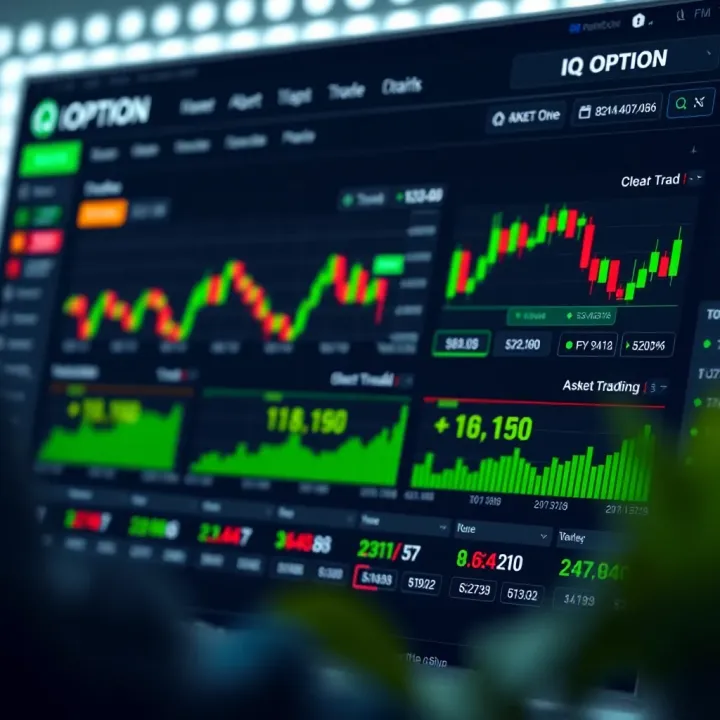
📈 Discover how IQ Option works with this practical guide for South African traders. Learn about registration, trade types, and risk management to trade smarter.
📥 Discover how to download and safely install IQ Option on your PC with easy steps, system tips, security advice, and trading pointers tailored for South African users.
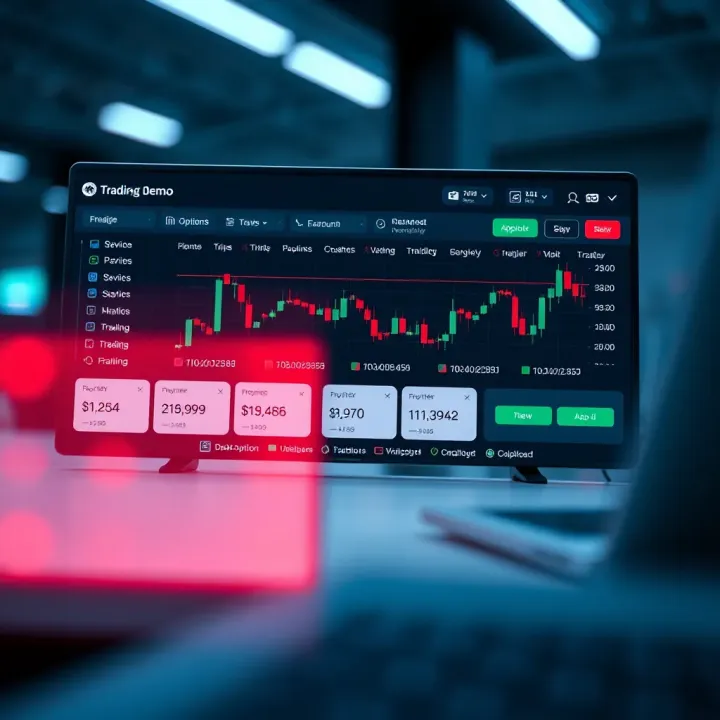
Learn to use Pocket Option demo like a pro 📊. Set up your account, explore features, and practice trading strategies safely before going live. 🚀
Based on 13 reviews