
Choosing the Best Trading App in South Africa
Discover how to pick the best trading app in South Africa 📱 for smart investing. Compare features, ease of use, fees, and security to manage your portfolio confidently.
Edited By
Samuel Richardson
Trading forex through a mobile app in South Africa can open doors to the global currency market without needing complex setups. But the key lies in picking the right app and knowing how to use it well. South African traders face unique challenges and opportunities—from navigating local regulations to dealing with data costs and electricity cuts (loadshedding). This guide sets the stage by clarifying what to watch for before you commit to an app.
First off, security is non-negotiable. Your forex app should have strong encryption, two-factor authentication, and preferably be regulated by recognised bodies such as the Financial Sector Conduct Authority (FSCA). Avoid any app that doesn’t clearly state its credentials or comes from dubious sources.
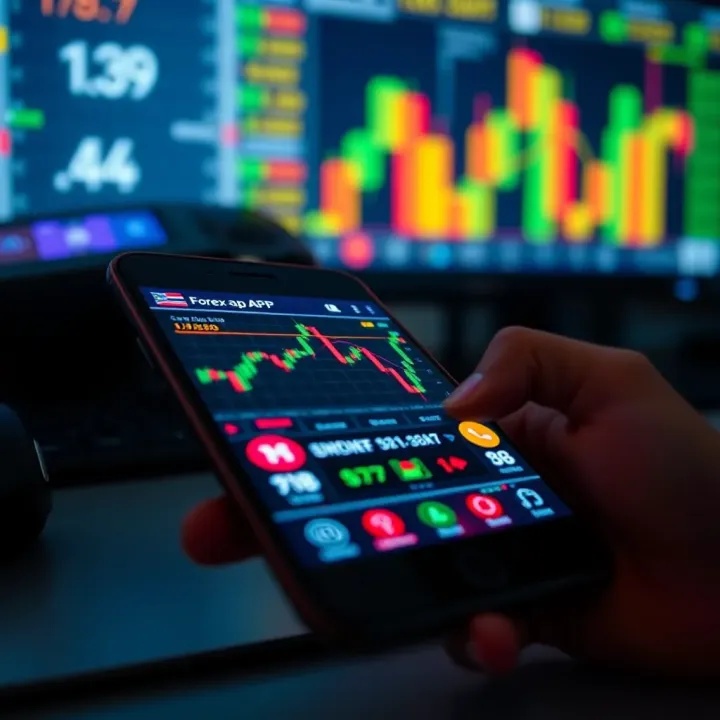
Next, ease of use matters. An intuitive interface saves time and reduces mistakes, especially if you’re trading actively. Look for apps that provide clear charts, real-time price feeds, and straightforward order placement. For example, platforms like IG or XM are popular globally and maintain user-friendly mobile versions suitable for South African traders.
Crucially, consider localisation features. Does the app support trading in Rands? Can you deposit and withdraw funds smoothly through local banks or popular payment gateways like SnapScan and Zapper? Pay attention to how well the app handles your local tax and compliance requirements, including adherence to Exchange Control Regulations when sending money abroad.
Finally, costs and connectivity are important. High data usage can work out expensive, so apps that offer data-saving modes or offline analysis options can help. Also, beware of hidden fees, such as steep spreads or withdrawal charges. Compare costs transparently before committing.
Choosing the right forex trading app is about balancing security, usability, and local relevance. It’s worth investing time upfront to avoid costly errors later.
With these considerations in mind, you’ll be better prepared to explore specific apps and trading strategies in the South African context.
Selecting a forex trading app in South Africa calls for a clear understanding of what makes an app not only functional but also practical amid local conditions. Traders need features that ease trading on mobile devices while ensuring compliance with South African regulations. The right app can simplify market access, reduce risks, and improve trading efficiency.
A user-friendly interface is the backbone of any successful trading app. Since many South Africans trade on the go, the app should be intuitive, with clear menus and easy navigation designed for smaller mobile screens. For instance, cluttered layouts or tiny buttons can lead to costly mistakes when placing trades under time pressure.
Having real-time charting and market data is another must-have. Forex markets move fast, so delayed or outdated price information can mislead traders. A reliable app should display live candlestick charts, allow zooming in on trends, and provide updates without lag. For example, during volatile sessions, real-time data enables traders to spot entry and exit points more accurately.
The variety of order types and execution speed is critical. Beyond simple buy or sell orders, the app should support limit, stop, and market orders, giving traders greater control. Execution speed matters too: slow order processing could mean missing out on favourable prices or suffering slippage. A well-optimised app might complete trades in milliseconds, vital for scalpers or short-term traders.
Risk management tools like stop loss and take profit protect traders from significant losses. These automated triggers close positions at pre-set prices, helping contain risk without constant monitoring. For example, setting a stop loss 50 pips below the entry can guard a trade against sudden market swings common in forex.
For South African traders, support for South African Rand (ZAR) accounts is essential. Trading in ZAR avoids the hassle and potential costs of currency conversion. It also simplifies fund management, as profits and losses reflect directly in local currency. Apps that offer ZAR-denominated accounts reduce complexity, making it easier to track performance.
Access to local payment methods for deposits and withdrawals greatly improves convenience. Common options might include EFT (electronic funds transfer) via local banks, or popular mobile money services in South Africa. An app aligned with local banking reduces delays and fees, contrasting with those only allowing international wire transfers.
Lastly, language and regional customisation helps users feel comfortable and confident. South African traders may prefer apps offering English with local spelling and phrasing. Some apps might also allow setting time zones to SAST, which is useful for scheduling trades and analysing market hours properly.
Choosing the right app means balancing global trading tech with local needs — because convenience, speed, and security matter just as much as access to markets.
With these factors in mind, South African traders can select apps that not only perform technically well but also fit smoothly into their daily financial routines.
Choosing the right forex trading app means understanding which platforms offer the features you actually need, especially in the South African context. Popular forex apps aren’t just about brand recognition; their relevance often lies in how well they balance global standards with local market realities. From ease of funding to currency support, the apps available can affect everything from your trading costs to how quickly you react to the market.
MetaTrader 4 and MetaTrader 5 remain the go-to choices for many traders worldwide, including in South Africa. Their strength lies in offering robust charting tools, multiple order types, custom indicators, and automated trading through expert advisors. Since these platforms support demo accounts, South African beginners can practise without immediate risk before switching to live trading. Plus, MetaTrader's broad broker compatibility means you can pick an FSCA-regulated broker and still use the familiar app interface.
ZuluTrade brings a different angle — social trading. This app allows traders to follow and copy successful strategies from experienced investors, turning the often lonely task of trading into a shared experience. For South African traders who might not have hours to analyse charts daily, ZuluTrade’s approach can provide insights while managing risk with transparency on the trader's history and performance. It’s a practical way of accessing community knowledge without fully handing over control.
IG and Plus500 are known for their straightforward interfaces and competitive pricing, both important for local traders watching costs. IG, with its FSCA licence and extensive educational resources, suits South African traders aiming to learn and grow steadily. Plus500 offers a simple mobile experience, though it's best suited for traders who prefer CFD (contract for difference) instruments. Both apps support ZAR accounts and local payment options, easing the hassles of currency conversion and transfers.
Apps offering ZAR wallet support significantly reduce friction when depositing and withdrawing funds. This means no unnecessary currency conversions or hefty forex fees, which can chip away at your trading capital. Platforms like ThinkMarkets and FXTM have started catering to this need, making trading seamless for South African users.
On the other hand, mobile platforms with low spreads offer a direct cost benefit. A lower spread (the difference between buying and selling price) means smaller transaction costs, which add up over multiple trades. Some newer brokers focus heavily on keeping spreads tight for popular pairs like USD/ZAR or EUR/ZAR, giving local traders a competitive edge.
Integration with South African banks and fund transfer methods plays a key role in user convenience. Speedy deposits and withdrawals via common methods such as EFT, instant wallet transfers, or even mobile payment solutions save time and reduce stress. Some apps link directly with major banks like FNB or Standard Bank, allowing traders to fund accounts without jumping through numerous hoops or waiting days for payments to clear.
In summary, picking a forex app isn't just about software features but how well it fits into your local financial ecosystem. Familiar global apps have proven models, but emerging local-friendly options might better meet your specific needs, especially around payments and cost management.
Getting started with forex trading on a mobile app in South Africa requires more than just downloading software. It involves setting up a compliant account, understanding your options, and handling money safely. These steps help keep your trading smooth, legal, and suited to local conditions.
South African forex brokers and apps must comply with KYC (Know Your Customer) and FICA (Financial Intelligence Centre Act) regulations. This means you'll provide valid identification and proof of residence to verify your identity and reduce fraud and money laundering risks. For example, submitting a green bar-coded ID and recent utility bill digitally through the app is standard practice.
Most brokers have straightforward procedures integrated into their apps that make verification quick—typically less than 48 hours. Without completing these steps, you won't be able to fund your account or trade live, so it's vital to have your documents ready before starting.
When it comes to account types, most platforms offer demo and live accounts. A demo account lets you practise with virtual money while experiencing real market conditions. This helps traders familiarise themselves with the app’s interface and test strategies without risking actual funds.
Once comfortable, switching to a live account means trading with real money, exposing you to actual profits and losses. For example, a beginner might use a demo account on MetaTrader 4 for a few weeks before starting a live account funded in ZAR.
Funding your account can be tricky if the broker doesn’t support local payment methods. That’s why choosing platforms that accept South African options like EFT (electroni fund transfer), SnapScan, Zapper, or even local bank card payments is essential.
Depositing funds in South African Rand avoids costly currency conversion fees and makes both deposits and withdrawals smoother. Some brokers also accept Skrill or Neteller, but these may add complexity or fees, so consider local deposit methods first.
Placing orders and managing positions through a trading app must be intuitive. Apps usually offer several order types like market, limit, stop-loss, and take-profit to control entry and exit points. For instance, you might use a stop-loss order on your ZAR/USD trade to limit losses if the rand weakens unexpectedly.
Managing open positions involves monitoring your trades continuously and adjusting stop levels or closing deals when market conditions change. Many apps provide easy-to-use sliders or buttons to change your position size or close trades instantly.
Keeping an eye on your account balance and open trades is equally important. Most apps feature dashboards showing your available margin, unrealised profit/loss, and used leverage. This snapshot helps avoid margin calls that can end in forced trade closures.
Alerts and notifications play a vital role in timely decision-making. You can set price alerts, margin call warnings, or news updates related to the forex pairs you trade. For example, a trader expecting an announcement on the South African Reserve Bank’s interest rates could set an alert to react quickly.
Using alerts ensures you never miss market moves even when you’re away from your device, which is crucial in a fast-moving market like forex.
Getting used to these basic operations helps lay a solid foundation for mobile forex trading, balancing ease and control while adapting to market shifts effectively.
Trading forex is rewarding but carries real risks, especially when using mobile apps. Knowing these dangers and how to manage them helps protect your money and makes trading less stressful.
Forex markets are notoriously volatile. Prices can swing wildly within seconds, influenced by news events, central bank announcements, or geopolitical developments. When you use leverage — essentially borrowing funds to open larger positions — small price moves can wipe out your capital quickly. For instance, trading with 100:1 leverage means a 1% adverse movement can wipe your account balance. South African traders often feel the pinch here since the rand can be volatile against majors like the US dollar or euro, making risk management essential.
Not all forex apps are what they claim to be. Scammers target South African traders with bogus platforms promising huge returns or claiming to avoid local regulations. These fake apps may disappear with your funds or manipulate prices to cause losses. Recently, complaints have soared about apps posing as legit brokers but lacking Financial Sector Conduct Authority (FSCA) licence. Always verify your broker’s credentials directly via the FSCA to avoid falling for such traps.
Imagine placing a trade right as the rand starts strengthening, then your app freezes or disconnects. Mobile trading depends heavily on good internet and app stability. In South Africa, network coverage can vary, especially outside urban areas. Some apps suffer glitches after updates or on specific devices, affecting order execution speed and accuracy. Technical failures can cause missed opportunities or unexpected losses, so choosing a reliable app and monitoring its performance is vital.
The simplest way to stay safe is choosing brokers authorised by the FSCA. These brokers follow rules that protect your funds, provide transparent pricing, and submit to oversight. For example, using a reputable FSCA-licensed broker reduces risks of fraud or unfair trading conditions. While you might find cheaper unregulated apps, the lack of protection often outweighs the savings.
Managing your risk means using stop loss orders to close a trade automatically once losses reach a set level. Combining this with conservative leverage keeps you safe during volatile periods. For example, limiting leverage to 10:1 rather than 100:1 can prevent sudden account blowouts. Many traders ignore this, but stop losses and sensible leverage cap protect your hard-earned Rands.
Keep your forex app updated to benefit from the latest security patches and feature fixes. Ignoring updates may expose you to bugs or vulnerabilities hackers exploit. Besides app updates, securing your phone with strong passwords, biometric locks, and avoiding public Wi-Fi for trading guard your account. South African traders should also be cautious of theft or loss of their device; enabling remote wipe or two-factor authentication adds layers of defence.
Trading forex on mobile has plenty of perks, but without proper caution, the risks are real. Staying with regulated brokers, smartly managing trades, and keeping your device secure make a big difference in protecting your investments.
This approach gives you a stable footing to trade confidently, minimise losses, and navigate South Africa’s unique forex landscape without surprises.
Mobile trading offers flexibility, but it also comes with specific challenges like managing data use and battery life. Paying attention to these practical aspects helps ensure smooth trading sessions, especially when you’re on the move or away from a power source. Plus, smartphones provide access to heaps of learning resources and community features that can sharpen your trading skills over time.
Optimising app settings for low data consumption is vital, especially since most South African traders rely on limited mobile data bundles. Many forex apps allow you to disable automatic chart updates or reduce the frequency of price refreshes. For example, setting your chart updates to every 15 seconds instead of every second can save a lot of data without compromising timely decisions. Also, switching off features like video tutorials or live streams when not needed can curb data use.
Using wifi where possible is a straightforward way to save mobile data. When at home or in a café, connect to a reliable wifi network before starting trading. This doesn’t just reduce data costs; it offers a more stable connection, which is critical when placing trades or monitoring volatile currency movements. Public wifi spots, such as those in libraries or malls, might be slower or insecure, so use trusted networks and consider using a VPN for added security.
Ensuring your device won’t run out of power during trading hours means planning ahead. Forex trading often requires quick actions, and missing out due to a dead battery can be costly. Keep a charged power bank handy if you’re trading on the go. Also, turn off unnecessary apps running in the background to conserve battery life. Lower your screen brightness and disable push notifications that aren’t essential to reduce power drain.
Accessing educational content within trading apps can boost your knowledge without needing separate resources. Many top apps offer glossaries, tutorials, and even webinars tailored for beginners or advanced traders alike. Tap into these to understand concepts like leverage, margin, or different order types. Learning as you trade helps you avoid costly mistakes and builds confidence.
Following market news and analysis on your mobile keeps you in the loop with global and local economic events affecting currency prices. South African traders should watch developments like SARB monetary policy changes, US Federal Reserve announcements, or geopolitical shifts in commodity markets. Apps that integrate news feeds or give quick economic calendar updates let you react promptly to market-moving events.
Engaging with social trading and community features adds a social dimension. Platforms such as ZuluTrade or eToro let you follow experienced traders, see their strategies in action, and even copy trades directly. Community forums within apps allow you to ask questions, share tips, and learn from fellow South African traders dealing with similar market conditions. This peer interaction can be a real game-changer for improving your trading.
Staying mindful of practical concerns like data and battery use, while actively using educational tools and community features, can make mobile forex trading not just viable but genuinely rewarding in South Africa. Planning ahead and using your app’s features smartly will help you trade smarter, not harder.
Discover how to pick the best trading app in South Africa 📱 for smart investing. Compare features, ease of use, fees, and security to manage your portfolio confidently.
🤖 Explore how robot trading automates forex deals using algorithms, plus tips on pros, risks, and regulation for South African traders.
📊 Ready to start forex trading in South Africa? Learn market basics, key strategies, risk management, and local regulations to trade smartly and confidently today! 🇿🇦
Discover how to choose and use online trading apps in South Africa 🇿🇦 with smart tips on security, features, and regulations for safer, confident trading 📱💼.
Based on 7 reviews